8 Best Digital Art and Illustration Classes in Singapore (2026)
Compare 8 digital art, Procreate and manga illustration classes in Singapore for teens and adults, with formats, age ranges and what to bring to class.
- Edited by
- Amir Wahab
- Published
- Reading time
- 6 min read
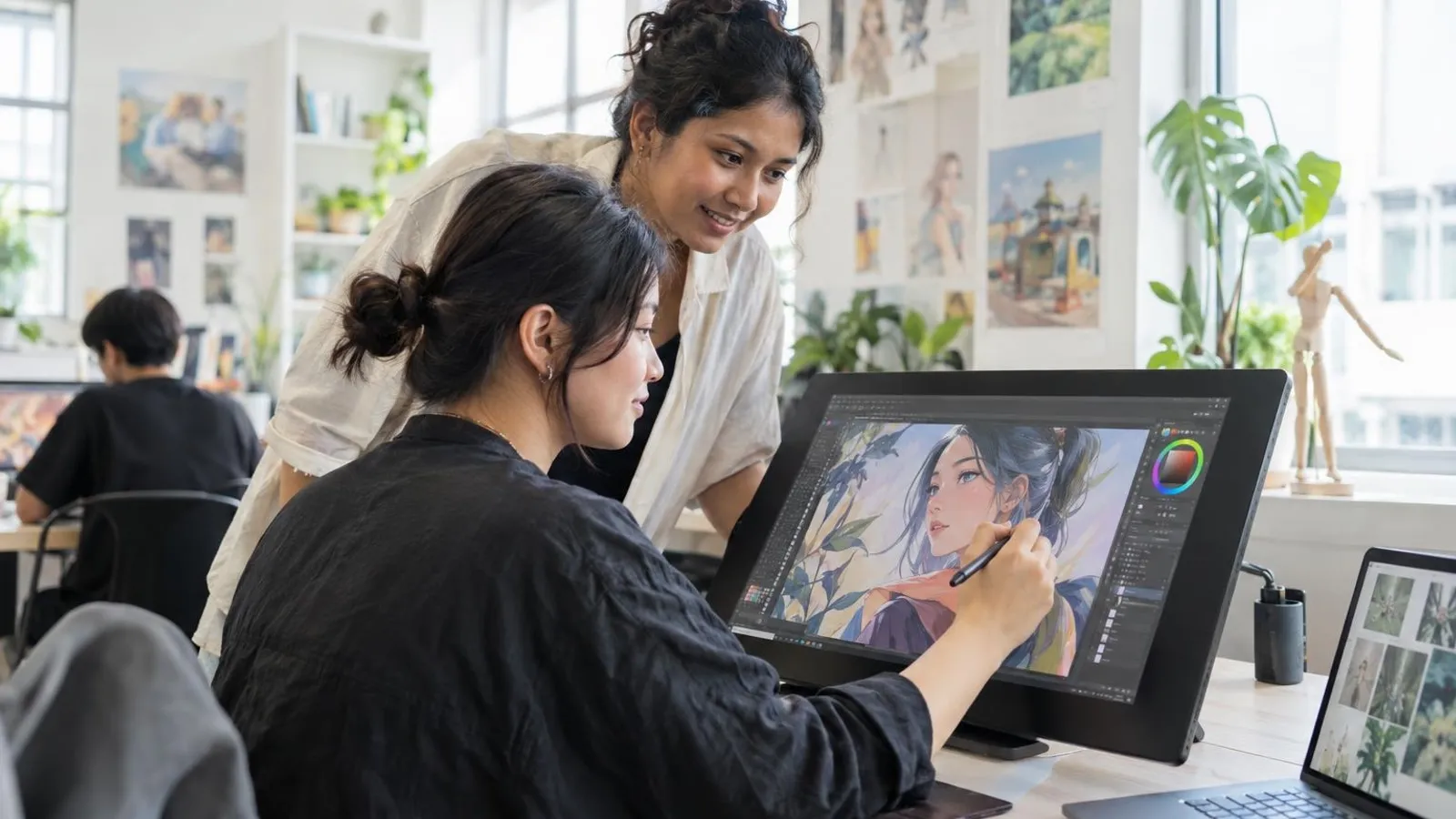 AI image by LocalRank
Learning to draw on a tablet is a different skill from sketching on paper, and the right class depends on your age, your device and what you want to make. This guide covers eight Singapore providers that publish digital art, Procreate or manga illustration classes, from a college short course to neighbourhood art studios. Every description comes from what each provider says on its own website, so check its booking page for current dates and age limits before you commit. Most ask you to bring your own iPad and stylus. Read the how-to-choose notes below, then enquire with two or three studios before enrolling.
1. Studio Miu Art
Studio Miu's adult and teens page lists digital art, covering drawing, painting, manga and comic art, alongside traditional dry and wet media. A separate manga page describes a beginner class where students draw either traditionally or digitally on an iPad, plus a manga drawing and illustration class open to teens and adults who may choose either medium. The studio says it keeps teacher-to-student ratios small and that its adult classes accept students aged twelve and above. Students working digitally are asked to install Procreate and bring their own iPad and compatible pencil, and the studio says it provides no Wi-Fi. Weekday-evening and Saturday sessions are listed on the page, so look at its schedule and booking pages for what is open now.
2. Art Pazionate
Art Pazionate runs a Procreate-based digital art class that it describes as entirely digital and separate from its traditional painting and drawing lessons. Its page sets out two programmes, one for teens aged ten to seventeen and one for adults aged eighteen and over, each with sessions of about an hour and a half. The studio pitches the adult class at beginners nervous about technology and says teen students build a personal portfolio, mentioning DSA preparation. Its trial class is described as covering the Procreate interface and a first small project. Students need their own iPad with Procreate installed and a stylus. The site does not state a venue address, so ask where classes are held when you enquire.
Venue confirmed on enquiry
Visit website ↗WhatsApp ↗View on map ↗
3. LASALLE College of the Arts, Continuing Education Programme
LASALLE's Continuing Education Programme lists Expressive Digital Painting with Procreate as a short course for adult learners. The course page describes six Saturday morning classes running from late October to early December 2026, covering digital painting skills, colour, brushwork and composition to convey mood and atmosphere. It recommends some foundational Procreate experience and suggests an earlier Digital Art with Procreate course or a basic handle on digital illustration. The page names the trainer as an artist-illustrator and notes that trainers can change at short notice, so confirm details when applying. It also lists SkillsFuture Credit among the schemes the course can be claimed under. This suits adults who want a college-run setting rather than a children's art studio.
4. Artlette Art Studio
Artlette Art Studio lists Digital Art using Procreate among its programmes and workshops, and its course page says it is open to children from around eight years old as well as adults. The beginner workshop is described as covering Procreate functions, shortcuts, layers, drawing guides such as perspective and symmetry, and transform tools, finishing with a character illustration. An intermediate workshop is described as moving from initial sketch to finished artwork and introducing simple animation, such as animated GIFs. Students bring their own iPad and Apple Pencil or compatible stylus. The studio also lists Chibi sketching, stop-motion animation and urban sketching among other classes, and publishes contact details for three studios, at Thomson Plaza, Jubilee Square and ESR BizPark.
Thomson, Ang Mo Kio and Chai Chee
Visit website ↗WhatsApp ↗EmailView on map ↗
5. ARTARY
ARTARY, the children's art school group, has added a Digital Art programme that its site describes as bridging classical drawing principles with digital tools. A trial page says the assessed session is for ages nine to sixteen with no prior experience needed, and that students bring their own iPad or laptop with a pencil or tablet. A programme guide names Procreate, Sketchbook and Krita and outlines an entry level on software basics, head construction and proportions, then a longer intermediate level for ages twelve to sixteen on character design, clothing folds and perspective. The school says its coaches have MOE and NAFA backgrounds. The trial booking form lists several campuses, so confirm which ones run the digital classes.
Westgate, Tampines Mall, Novena and Telok Blangah
Visit website ↗WhatsApp ↗View on map ↗
6. Artgrain
Artgrain lists Digital Art as one of its specialised programmes for students aged seven to sixteen, taught across several of its branches. Its programme page says students use apps such as Procreate, Sketchbook Pro and Ibis Paint, starting with layers, brushes, colour fills, blending and smudging, then moving towards realistic rendering and developing a personal style. It describes later topics including collage, GIFs and pop-art looks, with lessons of about an hour and a half and a stated small teacher-to-student ratio. The page says classes are drop-off, so parents do not stay. This is a children-and-teens option rather than an adult class, though Artgrain also publishes a separate adult art programme. Use its trial booking route to see which branch offers the lesson.
Thomson, Tampines, Bukit Timah, Marine Parade, Woodlands and Jurong East
Visit website ↗WhatsApp ↗View on map ↗
7. Our Art Studio
Our Art Studio lists a Comic and Manga Drawing course among its short courses, and it is the most paper-and-story oriented option here. Its course page describes four sessions in which participants learn to draw different characters and objects and plan a story, ending with a personalised comic strip. The studio says it suits both children aged seven and up and adults, with no upper age limit. The page does not say the course is taught on tablets, so ask whether digital tools are used. The studio runs outlets at PLQ Mall and The Star Vista and publishes WhatsApp contacts for each, plus a separate teens and adults art programme. Check its class pages for current availability.
Paya Lebar and Buona Vista
Visit website ↗WhatsApp ↗View on map ↗
8. Coloury Art
Coloury Art is a children and teens art school whose homepage lists digital illustration among its offerings alongside drawing, painting, mixed media and portfolio preparation for the Direct School Admission art route. Its FAQ gives the age range as six to sixteen and says older students move into focused drawing, painting and digital art work, with a separate foundation programme for younger children. Its public pages give no detail on software, tablet requirements or session length for the digital stream, so ask for the outline before booking a trial. The school lists five studios, including Tengah, Jurong Point, Bukit Batok, Jurong West and Tampines, each with its own WhatsApp contact for trial enquiries.
Tengah, Jurong, Bukit Batok and Tampines
Visit website ↗WhatsApp ↗View on map ↗
How to choose
- Match the class to your age and device first. Some providers here accept adults, others stop at sixteen, and most expect you to bring your own iPad and stylus. Confirm whether the class is built around Procreate, Krita or another app, and whether it is exactly the tool you own or want to learn.
- Decide what you want to make. Manga and comic classes focus on characters, panels and storytelling, while digital painting courses lean towards colour, brushwork and mood. If you are unsure, ask the provider for its course outline and look for a written progression that explains what each level covers.
- Ask about class size and teaching style. Some studios let students work on personal projects with guidance, while others follow a set module. A small group usually means more feedback on your lines and shading, so ask how many students share one teacher and how that feedback is given.
- Use trial lessons sensibly. Several providers describe a trial or assessed first session. Treat it as a chance to test the pace, the instructor and the room, and ask how placement into a level works, particularly if you already draw well on paper and might skip the basics.
- Check schedules, locations and the fine print on the provider's own booking page. Multi-branch studios do not always run every class at every outlet, term dates change, and terms for fees, deposits and materials differ. Get the current details in writing before paying, and confirm any subsidy claim directly with the provider.
. No changes recorded since.
Founder and Editor
Amir Wahab is the founder and editor of LocalRank, an independent Singapore rankings and local guides publication.
Read next
5 Best Tamil Classes in Singapore (2026)
Looking for Tamil classes in Singapore? Compare five providers for children and adults, from PSLE tuition centres to online and onsite adult Tamil courses.
By Amir Wahab4 min read
7 Best Spanish Classes in Singapore (2026)
Compare 7 Spanish classes in Singapore for adults and students: group, private and online courses plus DELE exam prep, as each school describes them.
By Amir Wahab5 min read
10 Best Secondary School Tuition Centres in Singapore (2026)
Compare 10 secondary school tuition centres in Singapore for O-Level and N-Level prep, with subjects, class formats and locations each centre publishes.
By Amir Wahab7 min read
6 Best Primary School Tuition Centres in Singapore (2026)
Compare 6 primary school tuition centres in Singapore offering English, Maths, Science and Chinese from P1 to P6, with PSLE preparation across the island.
By Amir Wahab5 min read